 FN
FNMaterial Center
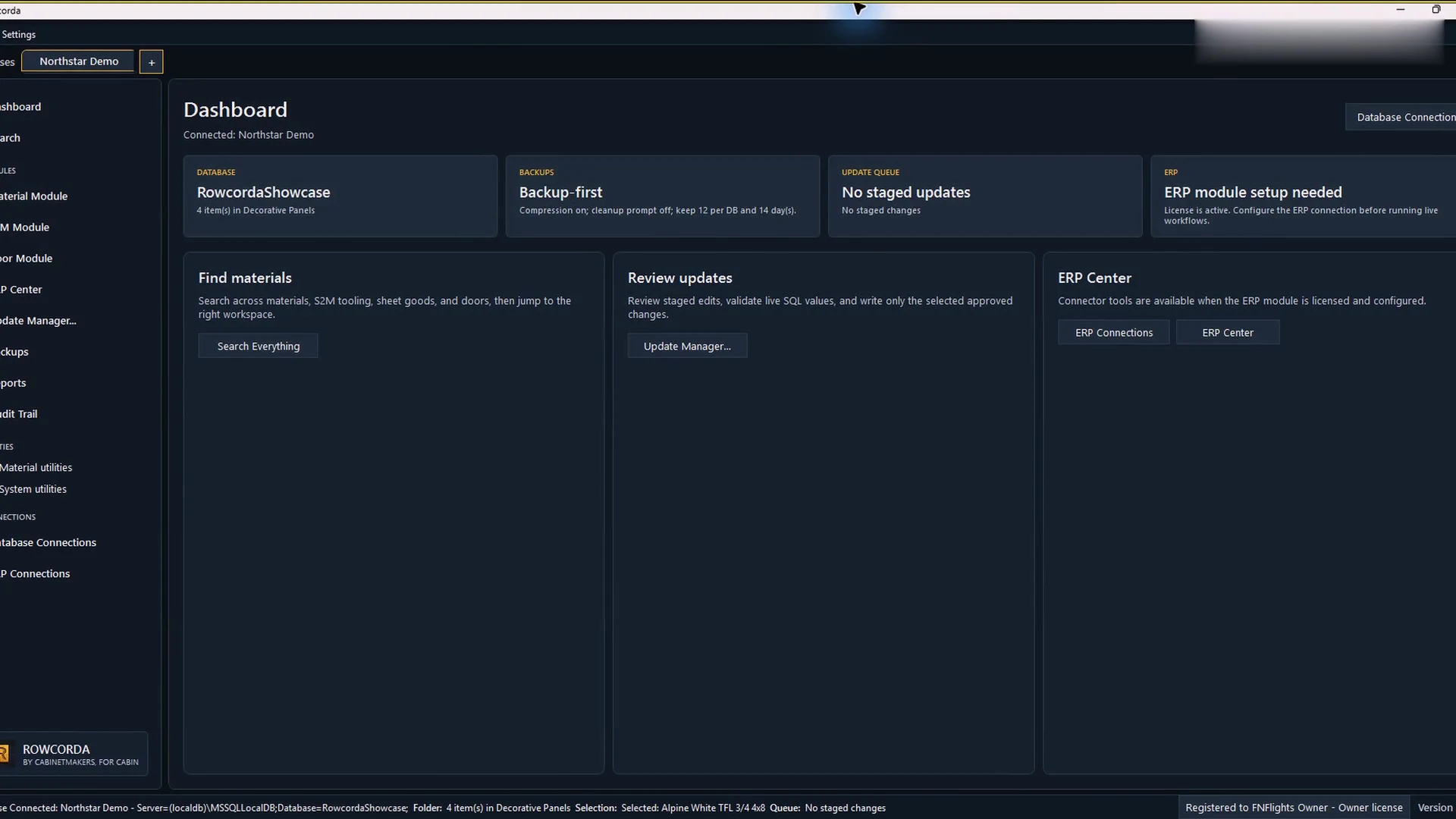
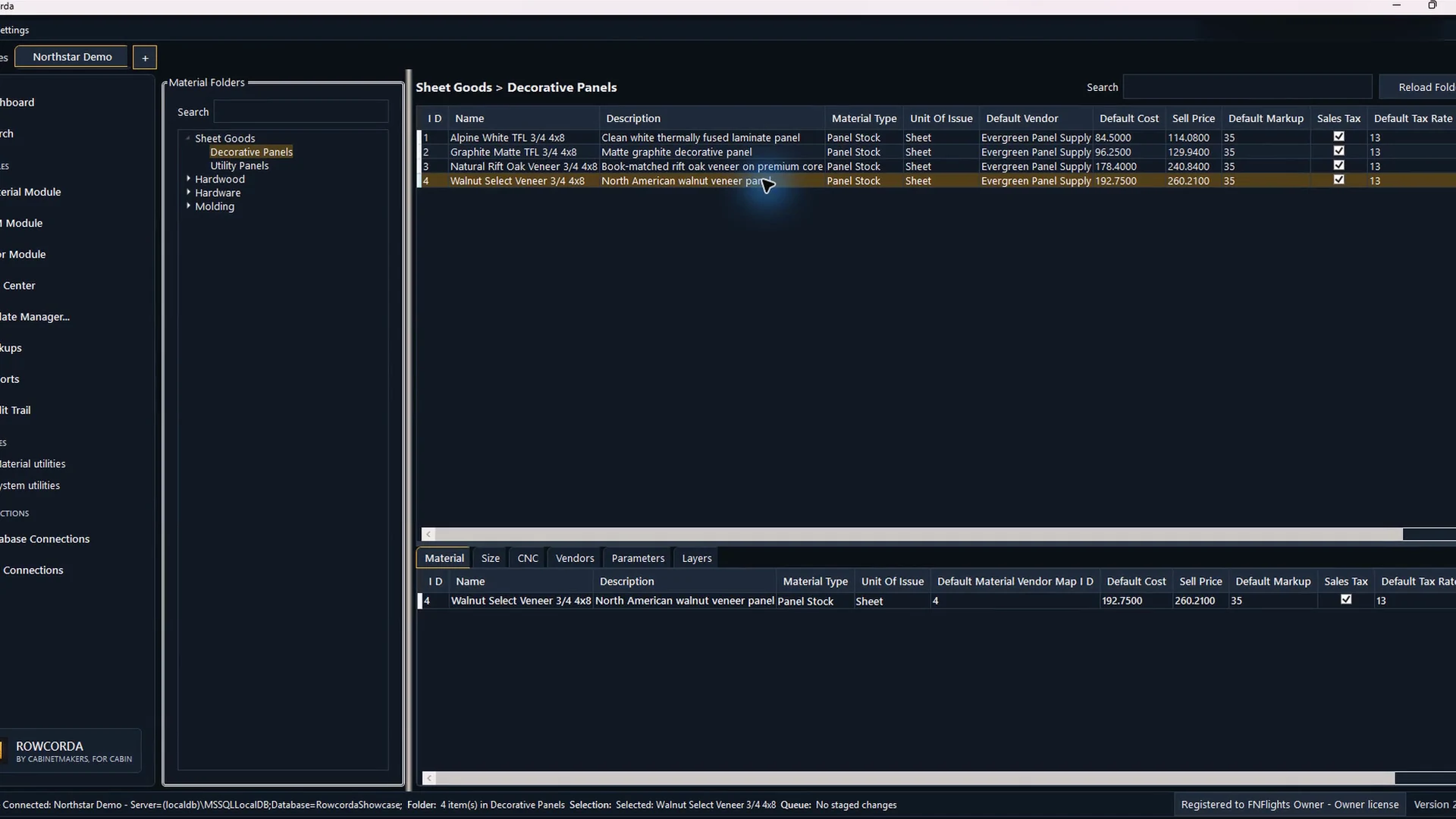
Search, compare, organize, and edit connected Cabinet Vision material records.
Cabinet Vision data control
Own the changes before they own you.
Manage materials, door pricing, S2M tooling, ERP comparisons, backups, and SQL updates without treating production data casually.
The actual workspace
See the real Rowcorda 2.2.0 interface move from connected records to staged review, backup verification, and a controlled database write in under one minute.
One controlled workspace
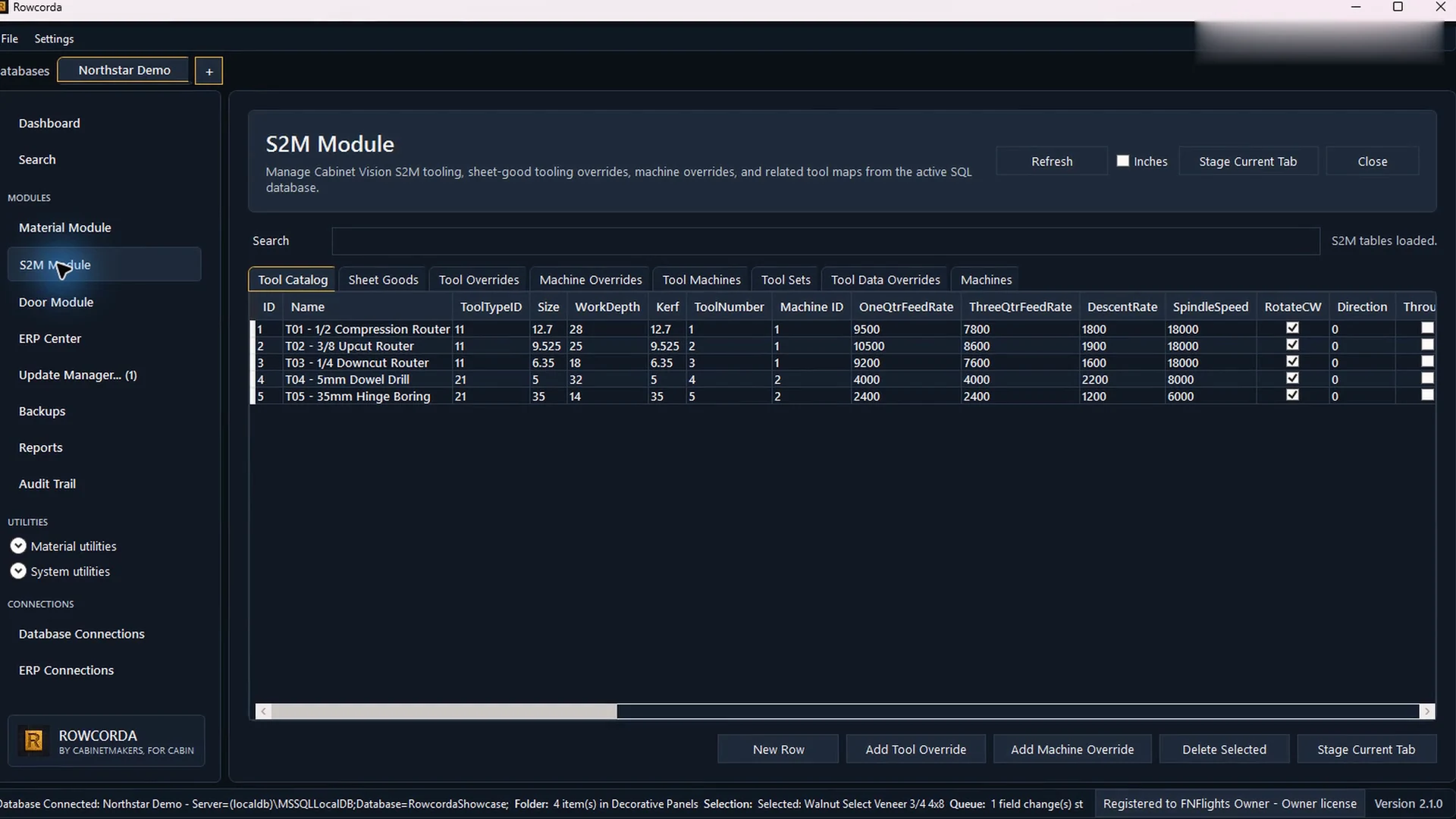
Door and S2M work live beside materials instead of in disconnected utility windows. Every editable module stages into Update Manager.
Search, compare, organize, and edit connected Cabinet Vision material records.
Review door material pricing, cost per square foot, minimums, and mappings.
Manage tools, sheet-good overrides, machines, and linked tooling data.
Load prices, review differences, match materials, and approve a controlled handoff.
See every database, table, row, field, old value, and proposed value before write.
Keep a readable record of access, staging, backups, final updates, and support actions.
A controlled path
Changes remain visible and reversible until the user deliberately approves the final write.
Open the database you need while preserving tabs and staged work across databases.
Edit in the module that makes the material, door, or tooling record understandable.
Select only the queued rows that are ready and verify old and proposed values.
Back up first, write the approved selection, and retain a human-readable audit record.
Rowcorda companion
Android and iOS clients use a shop-controlled API for connection status, search, materials, doors, and tooling context. Mobile devices never receive direct SQL credentials.
Core licensing
Both plans include the current desktop app, automatic updates, Material Center, Door and S2M modules, backup-first updates, standard reports, and Audit Trail.
Monthly
Flexible month-to-month Rowcorda Core access.
Checkout monthlyYearly
Annual Core access at two months less than monthly billing.
Checkout yearlyERP + implementation
Connector work, ERP matching, custom integrations, training, and implementation are quoted against the live workflow.
Request a scopeSecure card and Google Pay checkout is handled by Stripe. Rowcorda never stores payment details.
Current release
One installer with the .NET 10 LTS desktop runtime included. Database drivers remain separate so each workstation installs only what its connection requires.